Logitech G502 X PLUS vs Razer Basilisk V3 Pro: The Ultimate Heavyweight Wireless Gaming Mouse Showdown
Logitech G502 X PLUS Wireless RGB Gaming Mouse vs Razer Basilisk V3 Pro Customizable Wireless Gaming Mouse
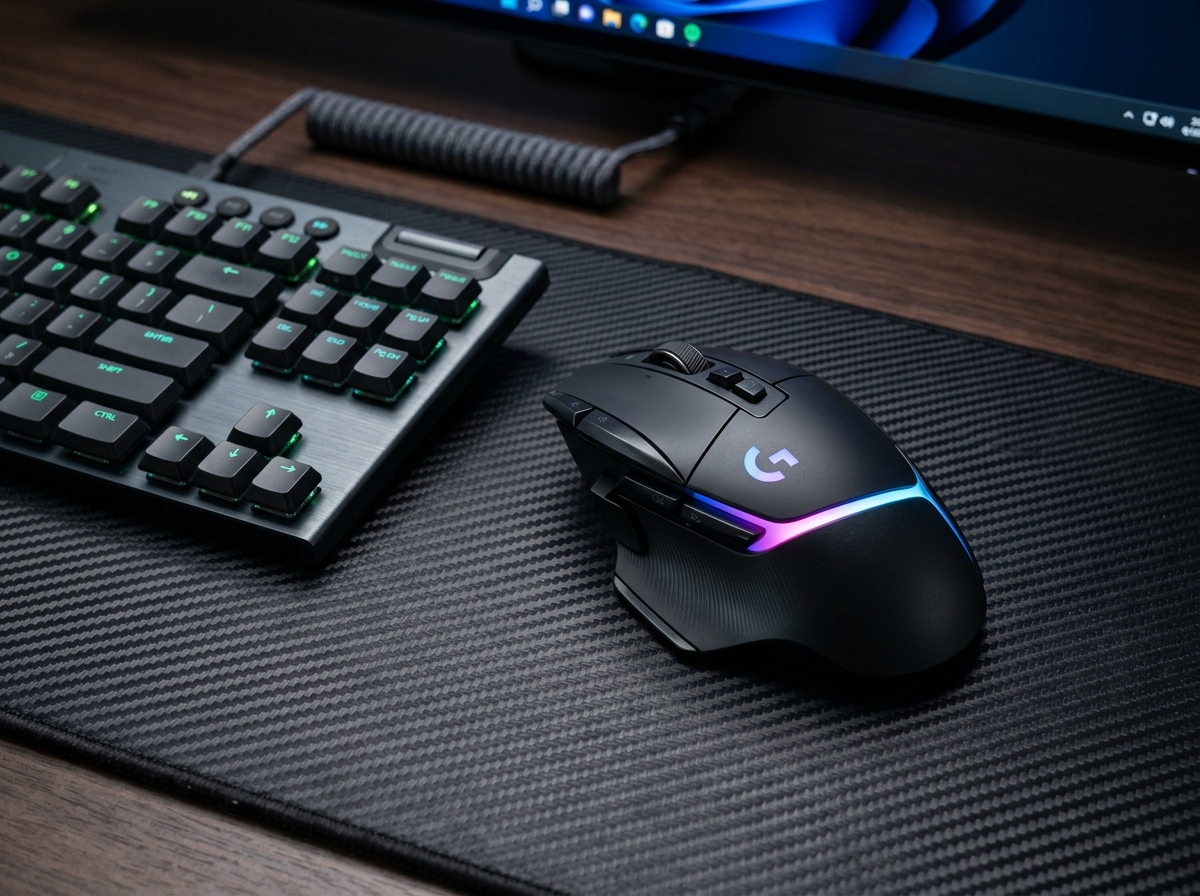
Logitech G502 X PLUS Wireless RGB Gaming Mouse
- ✓ LIGHTFORCE hybrid switches deliver crisp mechanical feedback with optical response speed
- ✓ 13 programmable controls offer superior hotkey customization for complex games and macros
- ✓ Slightly lighter 106-gram chassis compared to the Basilisk's 112 grams
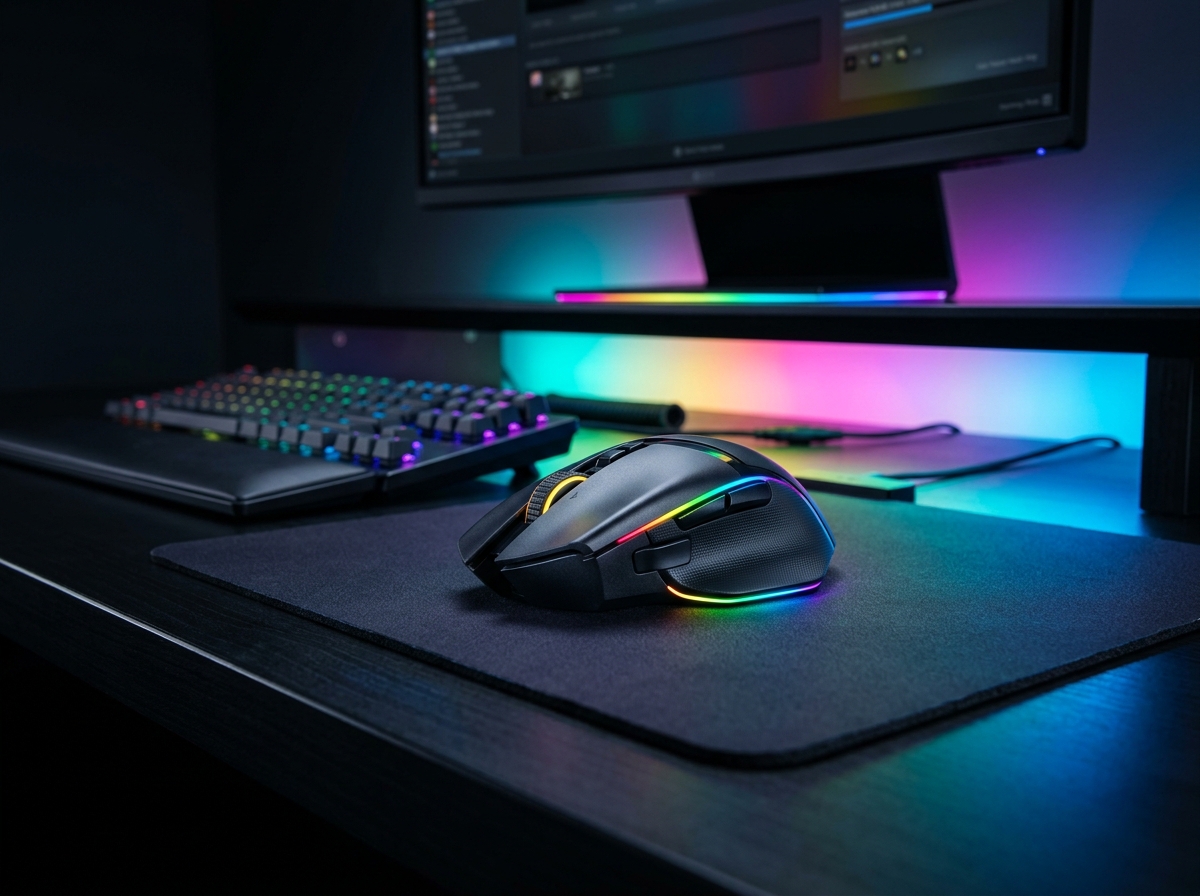
Razer Basilisk V3 Pro Customizable Wireless Gaming Mouse
- ✓ Smart-Reel technology shifts automatically from notched ratchet to frictionless free-spin on fast flicks
- ✓ Focus Pro 30K sensor tracks flawlessly on any surface, including transparent glass
- ✓ Outstanding 13-zone Chroma RGB underglow creates dramatic desk projection
While the Logitech G502 X PLUS provides extra index-finger macro buttons and a slightly lighter 106g body, the Razer Basilisk V3 Pro takes the crown because its automated Smart-Reel scroll wheel provides effortless everyday productivity, its 30K sensor tracks on glass, and it delivers top-tier ergonomics at a much more compelling price point.
Side-by-Side Technical Comparison
Direct spec-for-spec breakdown
| Feature | Logitech G502 X PLUS Wireless RGB Gaming Mouse | Razer Basilisk V3 Pro Customizable Wireless Gaming Mouse |
|---|---|---|
| Scroll Wheel Mechanism | Dual-Mode (Manual Mechanical Button Toggle) | WINNER Smart-Reel Electronic Clutch (Auto-Shifts on Fast Flicks) |
| Sensor Specs | HERO 25K (25,600 DPI, 400 IPS) | WINNER Focus Pro 30K (30,000 DPI, 750 IPS, Glass Tracking) |
| Switch Technology | LIGHTFORCE Optical-Mechanical Hybrid | Razer Optical Gen-3 (90M clicks) |
| Total Programmable Controls | WINNER 13 Controls (Includes 2 Index Buttons) | 11 Controls (Includes Multi-Function Trigger) |
| Weight | WINNER 106 grams | 112 grams |
| Price & Value | $139.99 | WINNER $99.99 |
For nearly a decade, the rivalry between Logitech’s G502 and Razer’s Basilisk has defined the premium ergonomic gaming mouse market. Both models cater to players and professionals who want a sculpted thumb rest, satisfying heft, customizable macros, and a hyper-fast infinite scroll wheel.
With the Logitech G502 X PLUS modernizing the classic shape with hybrid optical switches, and the Razer Basilisk V3 Pro introducing an electronic auto-switching clutch wheel and glass-tracking 30K sensor, which flagship heavyweight truly deserves a permanent spot on your desk pad?
1. Scroll Wheel Innovation: Smart-Reel vs Manual Toggle
- Logitech G502 X PLUS: Uses Logitech’s beloved dual-mode scroll wheel. You press a mechanical button located directly behind the wheel to physically latch or unlatch the ratchet mechanism. When engaged, clicks are tactile and distinct; when released, the wheel spins silently for up to 15 seconds. However, switching back and forth requires an intentional, physical button click every single time.
- Razer Basilisk V3 Pro: Steps ahead with an electronically controlled clutch. In Smart-Reel mode, gentle fingertip rolls yield crisp tactile steps for precision gaming, but when you flick the wheel quickly, the onboard software automatically disengages the ratchet into smooth free-spin, then snaps back to tactile clicks the moment the wheel slows down. It is a seamless quality-of-life feature that makes web browsing, coding, and document navigation completely intuitive.
2. Button Layout, Switches & In-Game Ergonomics
- Logitech G502 X PLUS: Carries an edge in raw macro versatility with 13 programmable inputs. Crucially, it features two distinct buttons nestled alongside the primary left click, perfect for binding weapon slots, DPI shifts, or media controls without reaching your thumb. Its LIGHTFORCE hybrid switches blend the instant response of optical triggers with the satisfying mechanical clack of classic switches.
- Razer Basilisk V3 Pro: Features 11 programmable controls, including a magnetic, removable thumb paddle that acts as a clutch trigger for slowing down DPI on the fly (ideal for sniping). Razer’s Gen-3 optical switches feel slightly lighter and softer to click than Logitech’s hybrid switches, making them exceptionally fast for spam-clicking during intense combat.
3. Weight, Aesthetics & Desk Setup Integration
- Weight Class: At 106 grams, the G502 X PLUS is noticeably trimmed down from older 121g G502 versions, offering slightly snappier wrist-aim recovery in fast-paced games. The Basilisk V3 Pro measures 112 grams, giving it a reassuring planted feel that excels in stability during tracking-heavy titles like Apex Legends.
- RGB & Visual Presence: The G502 X PLUS utilizes an 8-LED fiber-optic light strip that snakes gracefully across the palm rest. The Basilisk V3 Pro goes for high-impact drama with a 13-zone bottom underglow that projects colorful Chroma RGB onto your mouse mat, turning your entire desk surface into an ambient light show.
Final Verdict: Which One Should You Buy?
🏆 Buy the Razer Basilisk V3 Pro if:
- You want the smarter scroll wheel that automatically shifts between tactile clicks and free-spin based on your scroll speed.
- You play on varied surfaces (including glass-top desks) where the Focus Pro 30K sensor provides flawless tracking.
- You want the best price-to-performance ratio ($99.99 vs $139.99) while enjoying stunning 13-zone RGB underglow.
🥈 Buy the Logitech G502 X PLUS if:
- You rely heavily on extra hotkeys placed directly next to your index finger for MMOs, MOBAs, or complex macros.
- You prefer a slightly lighter 106g build and the crisp, mechanical feedback of LIGHTFORCE hybrid switches.
- You already own Logitech G LIGHTSPEED peripherals and use Logitech G HUB for your keyboard and headset profiles.
SpecOfTheDevil is a participant in the Amazon Services LLC Associates Program. Clicking links may earn an affiliate commission at no extra cost to you.