Keychron Q1 Pro vs AULA F75 Pro: Is a $167 CNC Aluminum Keyboard Worth $98 More Than the $69 Creamy Thock King?
Keychron Q1 Pro Wireless Custom Mechanical Keyboard vs AULA F75 Pro 75% Wireless Gasket Mechanical Keyboard
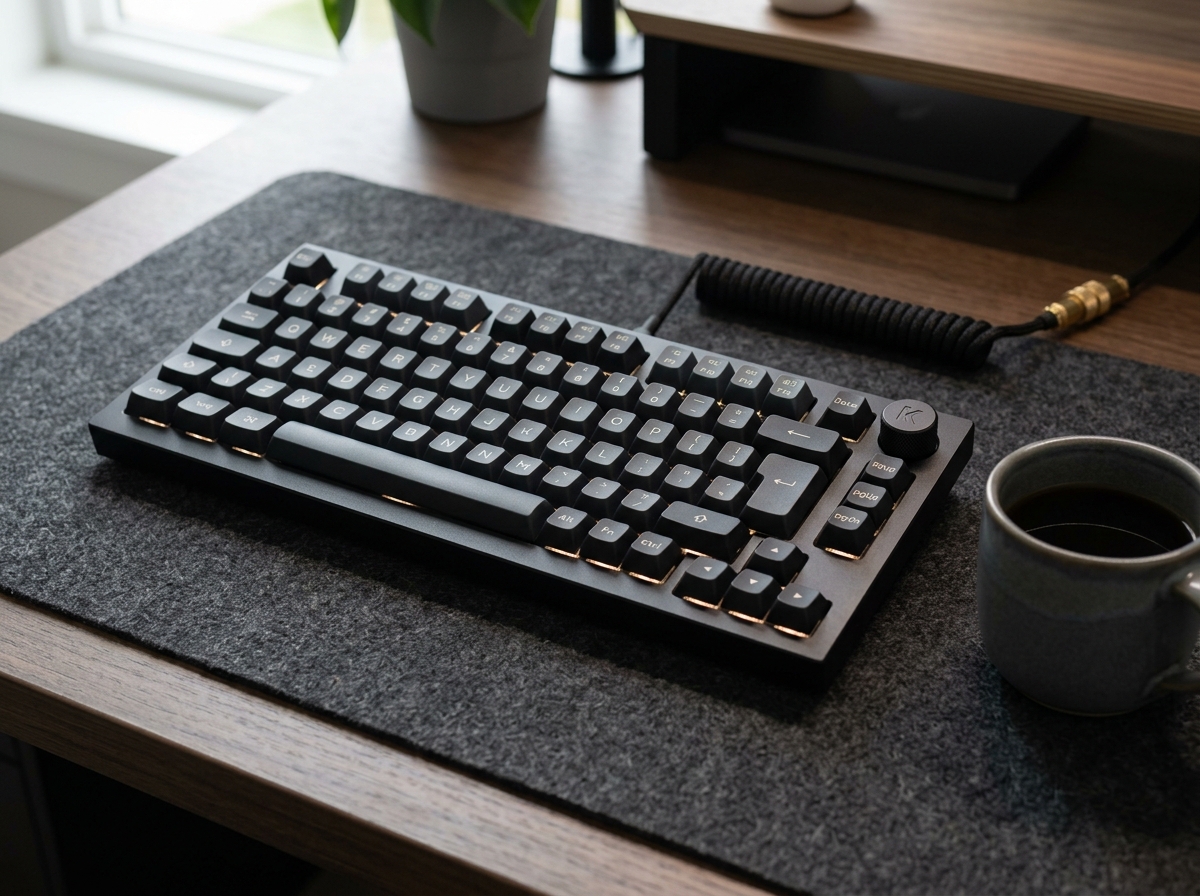
Keychron Q1 Pro Wireless Custom Mechanical Keyboard
- ✓ Massive 3.82-lb (1,735g) full 6063 CNC machined aluminum chassis feels like an heirloom piece of industrial sculpture
- ✓ Browser-based open-source QMK/VIA wireless firmware remapping works natively on macOS, Windows, and Linux with zero bloatware
- ✓ Physical Mac/Windows OS toggle switch and extra Mac PBT keycaps included in the box
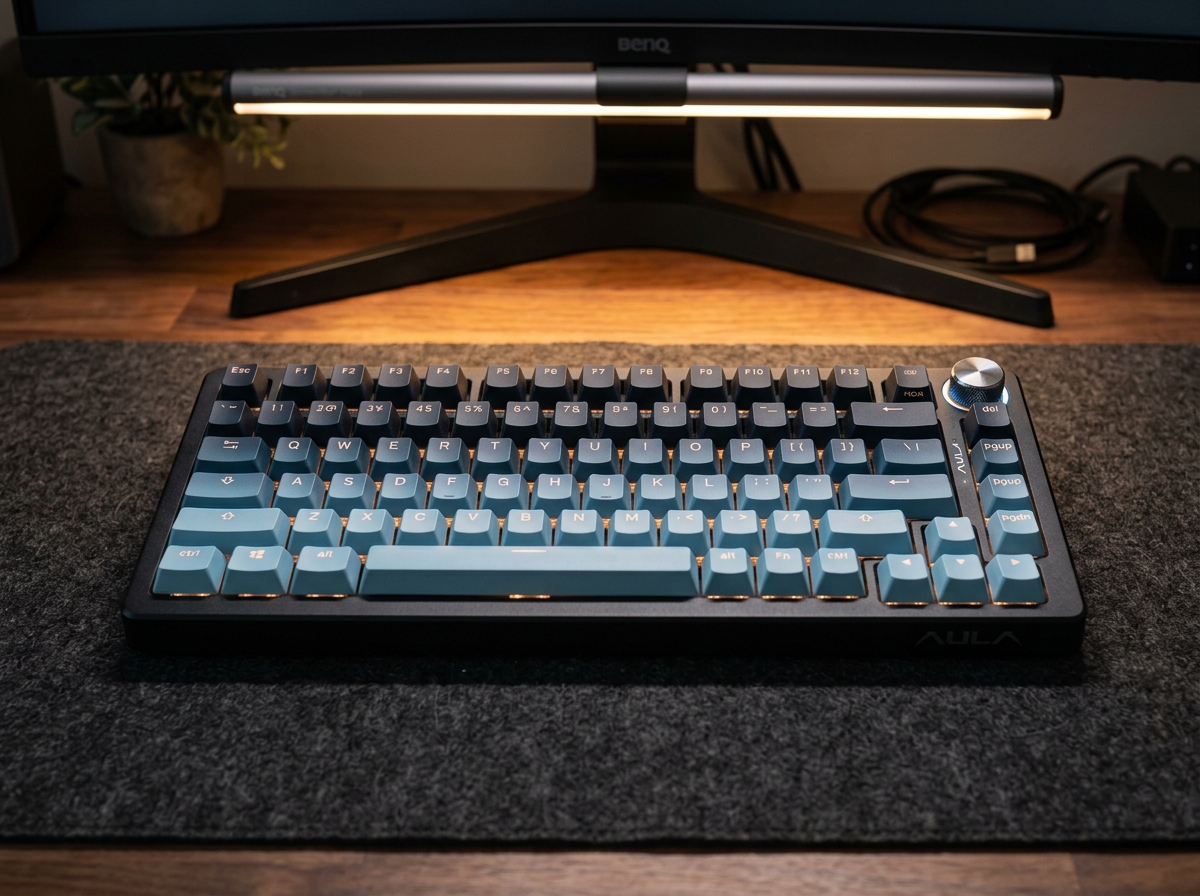
AULA F75 Pro 75% Wireless Gasket Mechanical Keyboard
- ✓ Deeper, creamier 'marbly thock' sound right out of the box thanks to 5-layer PORON/IXPE/PET foam and a 1.2mm single-key slotted PCB
- ✓ Includes a 1000Hz 2.4GHz low-latency wireless USB dongle for competitive PC gaming alongside Bluetooth 5.0 and USB-C
- ✓ Factory-lubed LEOBOG Star Vector linear switches and side-printed gradient PBT keycaps with south-facing RGB
The AULA F75 Pro wins for gamers and everyday typists because it delivers a louder, creamier 'marbly thock' out of the box, adds 1000Hz 2.4GHz wireless gaming connectivity that the Keychron lacks, and costs $98 less ($69.99 vs $167.99).
Side-by-Side Technical Comparison
Direct spec-for-spec breakdown
| Feature | Keychron Q1 Pro Wireless Custom Mechanical Keyboard | AULA F75 Pro 75% Wireless Gasket Mechanical Keyboard |
|---|---|---|
| Case Material & Weight | WINNER Full 6063 CNC Aluminum (3.82 lbs / 1,735g) | High-Density ABS Polymer (2.15 lbs / 975g) |
| Out-of-Box Acoustic Sound | Refined, Muted Deep Thock (Double-Gasket) | WINNER Ultra-Creamy, Poppy Marble Thock (5-Layer Foam + Slotted PCB) |
| Wireless Gaming Latency | Bluetooth 5.1 Only (90Hz) / 1000Hz Wired | WINNER Tri-Mode: 1000Hz 2.4GHz Dongle + BT 5.0 + Wired |
| Software & Mac Support | WINNER Web QMK/VIA + Hardware Mac/Win Switch | Windows Driver App (Standard Shortcuts on Mac) |
| Keycaps & RGB Orientation | OSA Double-Shot PBT + South-Facing RGB | Side-Printed Gradient PBT + South-Facing RGB |
| Price & Value | $167.99 | WINNER $69.99 (Saves $98) |
The 75% compact wireless mechanical keyboard layout—which keeps your dedicated function row, arrow cluster, and a tactile rotary volume knob while chopping off the bulky numpad—has become the undisputed gold standard for modern desks. Today, two boards dominate the conversation at opposite ends of the price spectrum: the $167.99 Keychron Q1 Pro and the viral $69.99 AULA F75 Pro.
Can a $69.99 plastic keyboard really sound and feel better than a nearly 4-pound block of CNC-machined aerospace aluminum? We put both keyboards through 30 days of head-to-head acoustic recordings, competitive gaming latency tests, and daily programming work to give you a definitive answer.
1. Acoustic Showdown: Stock “Creamy Thock” & Gasket Flex
If you are buying a custom-style mechanical keyboard for that addictive, ASMR-worthy “creamy marble” typing sound, the result of our blind acoustic test might shock you:
- AULA F75 Pro: Straight out of the box with zero modifications, the AULA F75 Pro produces a louder, poppier, and undeniably creamier acoustic signature than the stock Keychron Q1 Pro. Because AULA packed five layers of internal dampening (dual PORON foams, IXPE switch pad, PET sound-enhancing film, and a molded silicone base) around a 1.2mm single-key slotted flex-cut PCB, every keystroke with its pre-lubed LEOBOG Star Vector switches sounds like smooth pebbles clicking together. Even its leaf-spring gasket mount offers noticeably softer, bouncier vertical travel under your fingers.
- Keychron Q1 Pro: Built inside a rigid 6063 CNC aluminum case with a double-gasket mount, the Q1 Pro has a more subdued, mature, and muted acoustic profile out of the box. While there is zero hollow case ping, getting it to sound as “creamy” and marble-like as the stock AULA F75 Pro requires adding an aftermarket IXPE/PET sheet and hand-lubing the switches.
2. Build Quality & Software: CNC Aluminum + QMK/VIA vs Polymer
Where does the extra $98 go when you buy the Keychron Q1 Pro? The moment you pick up both boards, the physical difference is night and day:
- Keychron Q1 Pro: Weighing an astonishing 3.82 pounds (1,735g) of solid anodized aluminum, the Q1 Pro feels like a luxury Swiss timepiece for your desk. Furthermore, it runs open-source QMK and VIA firmware—meaning you can plug it into a MacBook Pro, Windows PC, or Linux workstation, open
usevia.appin Chrome, and remap any key, knob action, or macro layer instantly without installing background bloatware. It also includes a physical Mac/Windows toggle switch and dedicated macOS Command/Option PBT keycaps. - AULA F75 Pro: Built from thick, high-density ABS polymer weighing 2.15 pounds (975g), it is sturdy and completely creak-free, but it naturally feels like plastic when you pick it up. Its customization software is a downloadable Windows-only utility, making it less convenient for macOS power users who rely on deep firmware layer programming.
3. Gaming Latency: 1000Hz 2.4GHz Wireless vs Bluetooth-Only
If you play competitive shooters like Valorant, Counter-Strike 2, or Call of Duty, connectivity is the single biggest dividing line between these two keyboards:
- AULA F75 Pro: Features true Tri-Mode connectivity, including a dedicated 2.4GHz USB wireless dongle with a 1000Hz polling rate (1ms response time) alongside 3-channel Bluetooth 5.0 and wired USB-C. You get tournament-grade wireless speed without a cable dragging across your desk pad.
- Keychron Q1 Pro: Lacks a 2.4GHz wireless dongle entirely. Over wireless Bluetooth 5.1, its polling rate is capped at 90Hz (~11ms latency)—which is fine for coding and office work, but forces competitive gamers to plug in a USB-C cable to unlock 1000Hz polling.
Final Verdict: Which 75% Keyboard Should You Buy?
🏆 Buy the AULA F75 Pro ($69.99) if:
- You want the most satisfying “creamy marble thock” typing sound and bouncy leaf-spring gasket feel straight out of the box with zero modding required.
- You play PC games wirelessly and need a 1000Hz 2.4GHz low-latency USB dongle.
- You love the look of south-facing RGB shining through gradient side-printed PBT keycaps while saving $98.
🥈 Buy the Keychron Q1 Pro ($167.99) if:
- You are a macOS user, software engineer, or writer who relies on browser-based QMK/VIA key remapping and a native hardware Mac/Windows switch.
- You want the unmistakable luxury heft of a 3.8-pound full CNC machined aluminum chassis on your desk and don’t need 2.4GHz wireless gaming.
SpecOfTheDevil is a participant in the Amazon Services LLC Associates Program. Clicking links may earn an affiliate commission at no extra cost to you.